One verse each day from the Diamond Sutra and Heart Sutra, floating quietly in your menu bar. Mathematical determinism, authentic classical Chinese, modern reflections, and zero digital noise.
Notice: This simulator executes the exact xorshift64 calendar math as the native Mac app. Your verse today is identical worldwide.
Most software fights for your dopamine. Daily Sutra is a digital shrine: calm, quiet, mathematically certain, and gone the moment you click away.
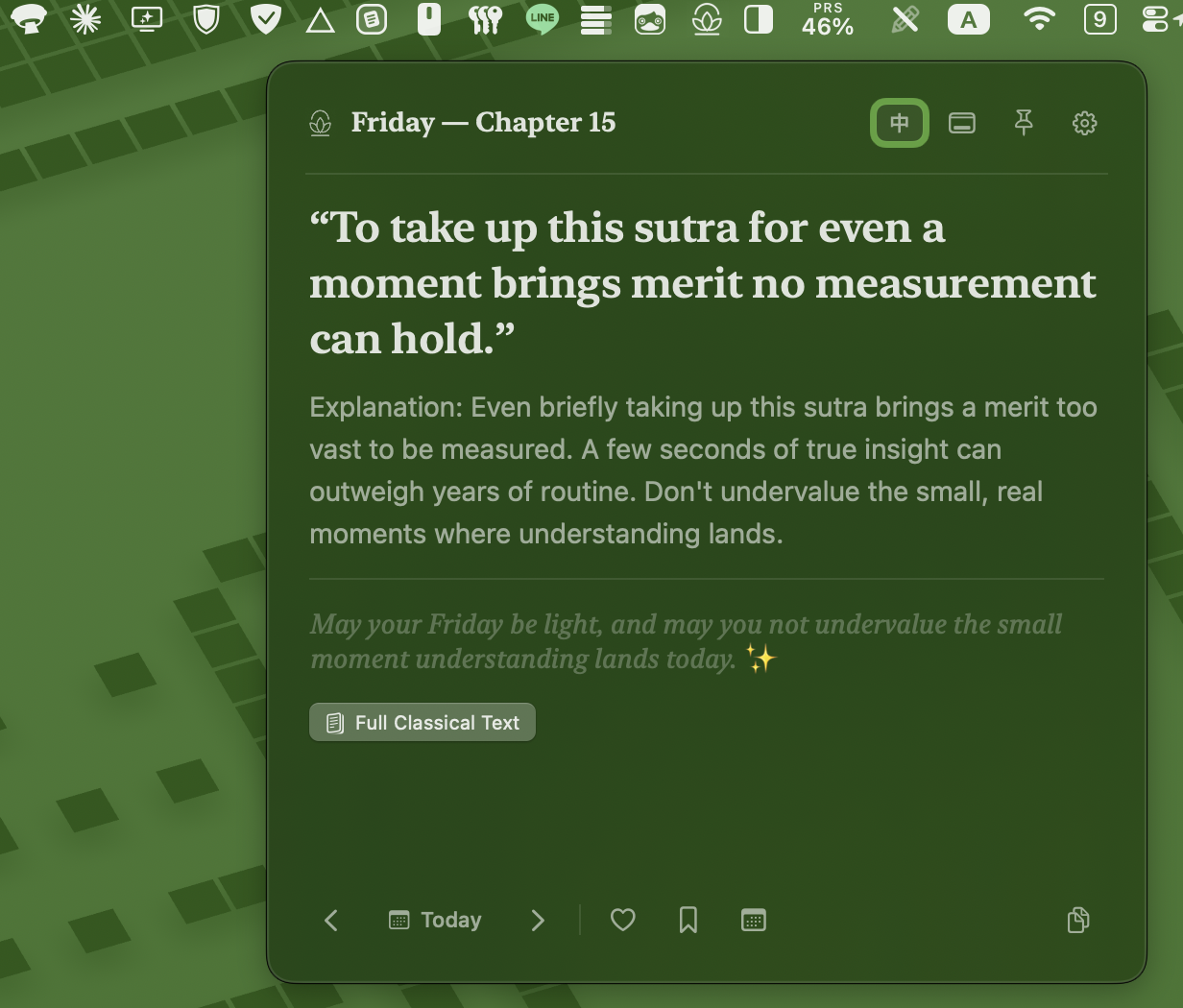
No AI recommendations, no feeds, and no engagement tracking. A 64-bit xorshift generator seeds strictly from the calendar date. The same verse appears everywhere today, and tomorrow brings the next with gentle inevitability.
Curated from the 32 chapters of the Diamond Sutra and 10 contemplative movements of the Heart Sutra. Unified in a single contemplative pool, presented without doctrinal overwhelm.
Authentic 5th-century Kumārajīva (鳩摩羅什) classical Chinese and Xuanzang (玄奘) Heart Sutra text, accompanied by contemporary English paraphrases, plain-language explanations, and reflective commentary.
Inspired by traditional Xuan paper (宣紙淡墨). Switch seamlessly between modern glass and soothing warm paper tint to soothe your eyes during early dawn or late evening reflections.
Snap directly beneath your menu bar icon with screen-edge safety margins, or drag freely across multiple desktop monitors. Origin coordinates persist seamlessly across restarts.
Toggle the pin button to keep the verse floating beside your journal, code editor, or meditation space across workspace switches.
Press Cmd+C to copy verse, explanation, and personalized daily blessing directly into Obsidian, Apple Notes, Notion, or chat.
Adjust typography effortlessly for studio displays or compact laptop screens with persistent font scaling.
Built purely with Swift 5.9. Zero Electron, zero webviews. Instantaneous launch, tiny 1.8 MB footprint, and 0.0% idle CPU.
Zero analytics, zero crash telemetry, zero network requests. Your daily contemplation is entirely private between you and your machine.
Engineered specifically for macOS Sonoma and macOS Sequoia with refined typography and natural AppKit panel physics.
Download DailySutra.zip from the official GitHub Release (v1.1.3).
Unzip the archive and drag DailySutra.app into your /Applications folder.
Click the lotus icon in your menu bar. The verse panel opens instantly.
Daily Sutra is an open-source indie app. Because it is distributed outside the Mac App Store without an Apple Developer ID signature, macOS may display an unidentified developer warning on first launch. Simply right-click DailySutra.app and select Open, or run:
xattr -dr com.apple.quarantine /Applications/DailySutra.app